
Network settings
Configure your KeyChip
LuoMi uses munet by default. You need to enter a KeyChip to use online services.
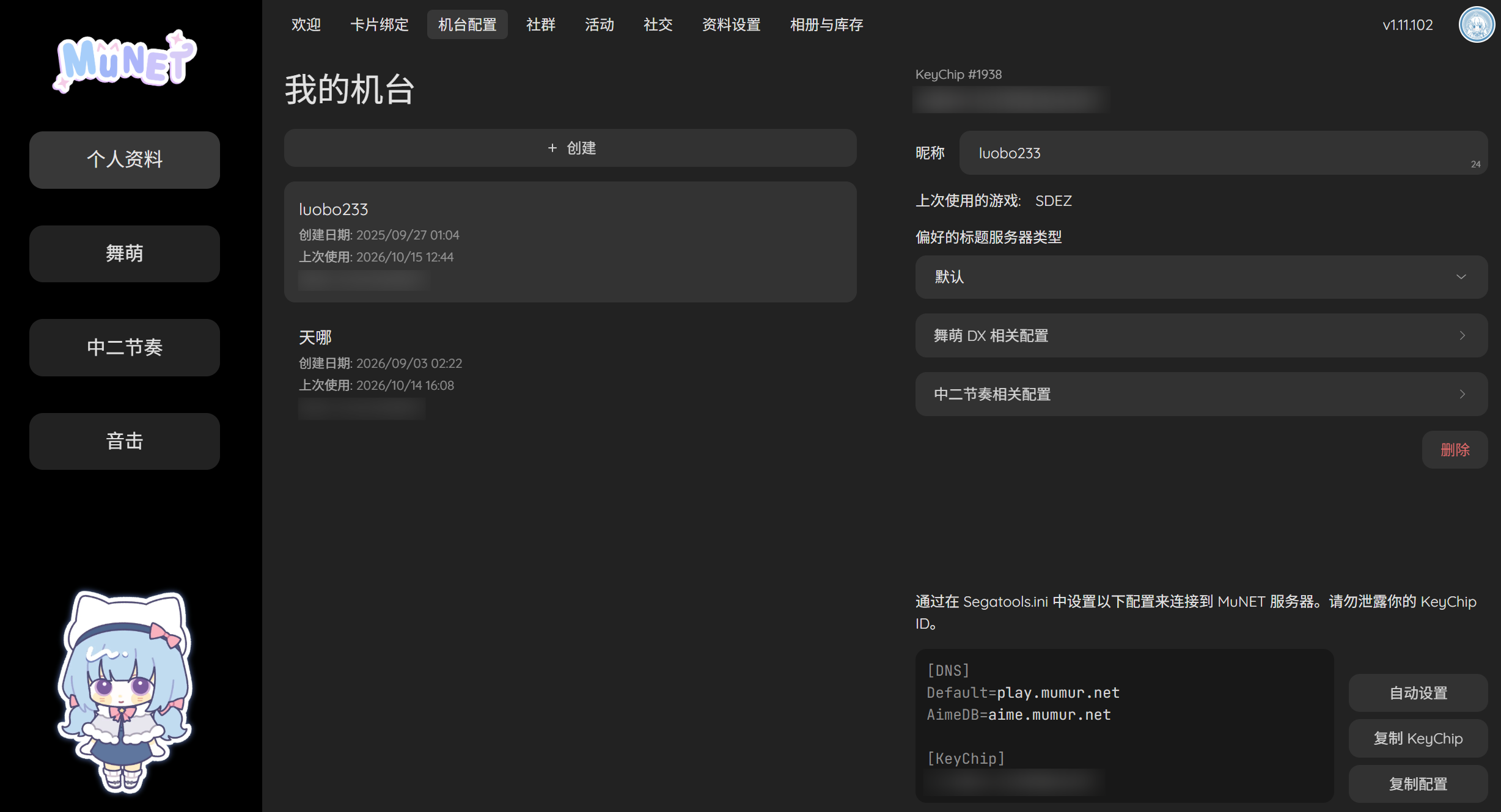
After registering and signing in, open My Cabinets (我的机台). You can find your KeyChip there and copy it into LuoMi's settings, or create a new one.
If you use AquaNet or another provider that supplies only one endpoint, such as aquadx.hydev.org, enter that endpoint for both the game server and Aime server addresses.
Set your card number
Delete the default value in the card-number field and enter your own number. If this is your first time playing, you can choose a 20-digit number as your card number. To look up your B50 or use similar services, bind the same card number in your server provider's account portal.
WARNING
The card number must not start with 3.